Remote ECU Flashing Over LTE: A Field Guide for Mobile Programmers
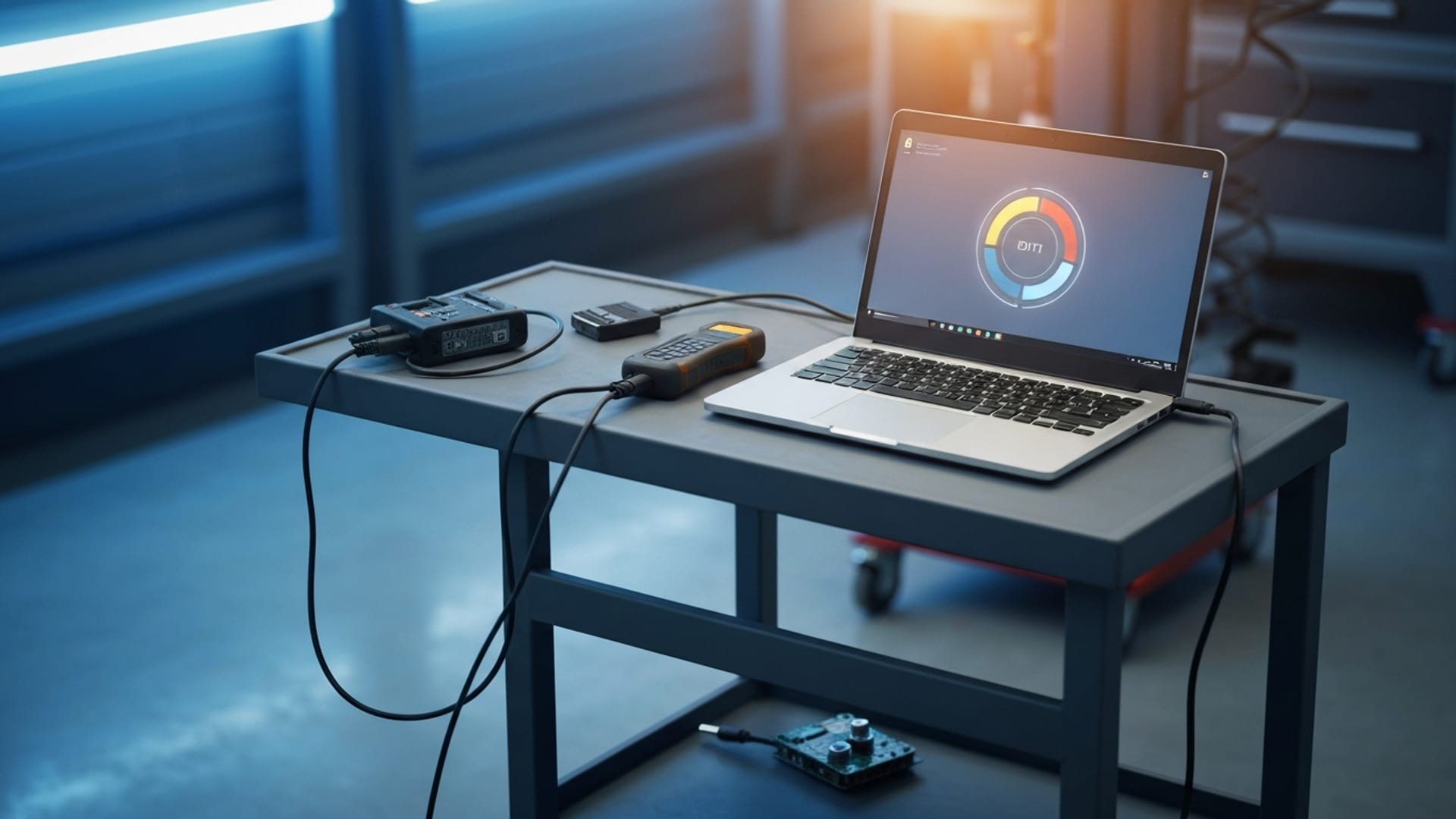
How mobile automotive programmers flash ECUs and program keys remotely over cellular connections — what actually fails on a hotspot, why USB-Only Mode and Flash-Safe protections matter, and how to scope jobs you used to drive to.
Remote ECU Flashing Over LTE: A Field Guide for Mobile Programmers
TL;DR
Remote ECU flashing over LTE works — but only when the connection is engineered for programming, not for screen-sharing. The failure mode that scares everyone is a write interrupted mid-flash, and a generic remote desktop tool makes that more likely because its video stream fights the flash data for bandwidth. The fix is a USB-only data path that forwards the programmer's USB stream with no video overhead, paired with heartbeat monitoring that can pause or recover when the link degrades. Done right, a one-person shop can program a key or module on a vehicle two metros away without leaving the bay.
The demand is structural, not hype. There are about 805,600 automotive service technicians and mechanics in the U.S. as of 2024, per the U.S. Bureau of Labor Statistics, and the vehicles they service are getting older and more software-heavy at the same time. The average light vehicle on U.S. roads hit a record 12.6 years old in 2024 according to S&P Global Mobility — squarely in the aftermarket service window — while a modern car now runs on roughly 100 electronic control units and over 100 million lines of code, per IEEE Spectrum. More software in more aging cars means more programming events, and a meaningful share of them don't need a human standing at the OBD-II port.
This guide covers what actually fails on a hotspot, why USB-Only Mode and Flash-Safe protections exist, how to scope remote jobs honestly, and where the economics make sense for a solo operator versus a multi-bay shop.
Why remote programming demand is rising, not leveling off
The pitch for remote work usually leans on "convenience." The real driver is the collision of three trends that all point the same direction.
First, the fleet is aging into the service window. S&P Global Mobility counted 286 million vehicles in operation in early 2024, with more than 110 million of them in the 6-to-14-year aftermarket sweet spot — nearly 38% of the fleet. Older vehicles need more module work: replacement clusters, body control modules, theft-deterrent resets, and key additions after a lost-key event.
Second, the software content per vehicle keeps climbing. The automotive software and electronics market is projected to roughly double, with the software slice alone growing from about $31 billion in 2019 to roughly $80 billion in 2030, per McKinsey. Every added control unit is another thing that can require coding, calibration, or initialization after a repair.
Third, the technician base isn't growing fast enough to absorb that work locally. BLS projects automotive technician employment to grow only 4% from 2024 to 2034, with about 70,000 openings per year mostly replacing people who retire or leave the trade. When specialty programming demand outpaces the supply of people who can do it, the people who can become a remote resource for everyone who can't.
Put together, those forces mean a specialist's skill is increasingly stranded by geography. Remote programming is the lever that unstrands it.
What actually fails when you flash over a hotspot
Plenty of programmers have tried remote work with a consumer screen-sharing app, watched a flash stall at 60%, and concluded "remote flashing doesn't work." The tool was the problem, not the concept.
Here's what goes wrong, in order of how often it bites:
The video stream starves the flash data. A normal remote desktop session spends most of its bandwidth pushing screen pixels. When you start a write, the flash bytes have to compete with that video for the same pipe. On a stable office fiber line you might never notice. On a vehicle-side LTE hotspot in a parking lot, the contention shows up as stalls, timeouts, and the occasional aborted write.
Latency spikes get interpreted as device errors. Many programmers and J2534 interfaces are timing-sensitive — they expect a USB response within a tight window. Route that USB traffic through a high-latency, jittery tunnel and the tool can read a slow round-trip as a hardware fault and bail out.
A dropped link mid-write is the nightmare. This is the one everyone fears, and rightly so. A module being written expects an uninterrupted stream of data. Lose the connection at the wrong moment and you can be left with a half-programmed control unit. This risk exists on the bench too, which is why bench programmers obsess over battery maintainers — but a flaky wireless link adds a failure path that doesn't exist when the laptop is cabled to the car.
The throughput math is the encouraging part. Once you stop shipping video, a USB-only data path for a typical key or module job often runs in the tens of kilobytes per second, not megabits. And coverage is rarely the wall: the FCC reports that 96% of U.S. homes and small businesses have access to 5G mobile service at 7/1 Mbps or better. The bottleneck for remote programming is almost never raw speed. It's stability, latency discipline, and how the tool behaves when the link wobbles.
USB-Only Mode: forwarding the data, dropping the video
Status note: USB-Only Mode is in development and not available yet. This section describes the design we are building and the engineering reasoning behind it — see the USB-Only Mode page for current status. Remote desktop, unattended access, file transfer and session recording work today.
The core idea behind USB-Only Mode is simple to state and hard to fake: forward only the programmer's USB data stream to the remote machine, with no screen sharing and no video stream at all.
That single design choice removes the biggest source of contention. Without pixels to push, the entire connection budget goes to the USB payload — the actual flash data and the tool's command/response traffic. On a low-bandwidth cellular link, that's the difference between a write that completes and a write that stalls.
It also changes how you should think about the vehicle-side connection. You're no longer trying to stream a usable desktop over a hotspot; you're moving a small, steady trickle of USB bytes. That's a much easier ask of a 3G/LTE connection, and it's why USB-Only Mode is positioned for exactly the conditions — mobile hotspots, cellular connections, real-world parking-lot networks — where a video-heavy session falls apart.
The trade-off is honest: you give up the visual remote desktop during a USB-only session. For a flash or a key-add, you don't need it — you need the data path to be rock-solid. For diagnostics where you do want eyes on a live screen, full remote desktop — available today — is the right mode, driving a shop PC that has the interface cabled to it locally. Picking the right mode per job is the skill.
Flash-Safe: the protections that exist because writes can fail
Status note: Flash-Safe is likewise in development and not available yet — see the Flash-Safe page. What follows describes the intended protections and why write-interruption is the risk they target.
If USB-Only Mode is about making the write succeed, Flash-Safe is about what happens when conditions turn against you mid-job.
The centerpiece is heartbeat monitoring. The session continuously checks that the link is alive and responsive. The intent is to detect a degrading or dropped connection and respond — pausing or recovering — rather than letting a write run blind toward a half-programmed module. It's the software equivalent of a spotter watching the connection while your hands are busy with the tool.
Two honest caveats keep this from being marketing. First, no software can make a physically severed connection safe. If the hotspot loses signal entirely at the exact wrong millisecond, you are in the same place you'd be if someone tripped over your bench cable. That's why the discipline still includes a battery maintainer on the vehicle, a stable vehicle-side hotspot, and the oldest rule in programming: don't start a write you can't finish. Second, compatibility is real and worth testing. USB timing varies by tool, which is why you should validate your exact programmer on a known-good vehicle before you bill a remote job on it.
The general principle is straightforward: the reliability of your remote tooling shapes which jobs you are willing to take. If a remote session feels risky, you drive to every flash and your radius never grows. If the data path is dependable, you start saying yes to jobs you used to turn down.
The institutional context matters too. Remote access changes where you sit, not what's required of you. Per the National Automotive Service Task Force, the Secure Data Release Model (SDRM) and the Vehicle Security Professional (VSP) registry govern access to key codes, security PINs, and immobilizer resets — and that credentialing applies whether you're standing at the car or driving the tool from your shop. The remote platform is plumbing; the NASTF credential is still yours to hold and honor.
Two modes, two jobs: remote desktop vs. USB-only
A frequent mistake is treating "remote access" as one thing. In practice a mobile programmer runs two different sessions for two different jobs, and confusing them is how you get a stalled flash or a useless diagnostic.
Full remote desktop with USB passthrough is for work where you need eyes on a live screen: reading fault codes, watching live data PIDs, navigating an OEM diagnostic application, confirming a repair before and after. Here the video stream is the point — you're driving a graphical tool — and you accept that it consumes most of the connection budget. On a strong connection this is seamless; on a weak hotspot it gets laggy, which is tolerable for diagnostics because nothing is being written to a module.
USB-Only Mode is for the write itself: the flash, the key add, the module initialization. Here you deliberately drop the video because every kilobyte of bandwidth needs to go to the USB payload. You lose the live desktop, but for a write you don't need it — you need the data path to be uninterruptible.
The operational discipline is knowing when to switch. A common pattern: diagnose over full remote desktop, confirm exactly what needs programming, then switch to USB-Only Mode for the write, then switch back to remote desktop to verify. Treating the two modes as a deliberate sequence — rather than trying to do everything in one always-on screen-share — is what separates programmers who trust remote work from the ones who got burned once and quit.
This matters more as the software surface grows. With roughly 100 ECUs per modern vehicle per IEEE Spectrum, a single repair can touch several modules, each potentially needing its own coding step. The more write events a job contains, the more the discipline of mode-switching pays off — and the more a video-only tool costs you in stalls.
Setting up the vehicle side for a stable session
Most remote-programming failures trace back to the vehicle side, not the specialist's side. The person at the car controls the two variables that matter most: power and connection.
Power first. A battery maintainer isn't optional for a write. Module programming can run a vehicle's voltage down, and a sag at the wrong moment ends a flash badly — this is true on the bench and doubly true remotely, where you can't reach over and check the clamp. Confirm the maintainer is connected and the vehicle is in the correct ignition state before the session starts.
Connection second. The goal is stability, not headline speed. A steady, low-jitter 1 Mbps connection is a better programming link than a spiky 50 Mbps one that drops packets. Where possible, prefer a wired tether or a dedicated hotspot over a shared, congested public network. The FCC's coverage data — 96% of homes and small businesses with 5G at 7/1 Mbps or better — means raw availability is rarely the issue; a congested or marginal-signal location is. If the bay has known-bad coverage, that's a job to do in person, not remotely.
A person, not just a port. Unattended access is great for the specialist, but a competent human at the vehicle is the safety net. They plug in the interface, confirm conditions, and can physically intervene if something goes sideways. Remote work scales a specialist's expertise, not their physical presence — someone still has to be hands-on at the car.
Working through the economics
The clearest way to see whether remote capability pays is to model it against the jobs you currently decline. The following is a labelled hypothetical, not a customer result — run it with your own numbers.
Suppose a solo programmer specializing in European immobilizer and module work finds that roughly a third of inbound requests fall outside a comfortable drive radius, and are either declined outright or quoted with a travel surcharge that kills the deal. A typical out-of-radius job in that scenario carries 90-plus minutes of round-trip windshield time for 25 minutes of actual programming.
Now suppose that programmer sets up unattended access on two partner shops' bay PCs in neighbouring metros, validates the specific tooling on a known-good vehicle at each location, and establishes the workflow: the partner shop plugs the interface into the car and confirms the vehicle is on a battery maintainer and a stable connection, while the specialist drives the session remotely.
The swing in that model is not "do the same jobs faster" — it is "stop turning away a third of the pipeline." For a one-person operation, converting previously-declined leads into billable remote sessions is a much larger lever than shaving minutes off jobs you were already doing, and the arithmetic tends to clear easily when a subscription measured in tens of dollars per month sits against jobs billed in the hundreds. What does not change in any such arrangement is compliance: NASTF VSP credentialing and positive-ID standards travel with the operator, not the location.
How to scope a remote job honestly
Not every job should be remote, and pretending otherwise is how you end up with a bricked module and an angry partner. A simple decision filter:
Good remote candidates: key adds and all-keys-lost events where codes are obtained through proper NASTF channels; module initialization and coding after a confirmed mechanical replacement; routine reflashes on tools you've already validated remotely; after-hours or overflow support for a partner shop with a competent person on the vehicle side.
Think twice: first-time use of a tool you haven't validated over USB-only; jobs at a location with known-bad cellular coverage and no wired backup; any write where the vehicle side has no one who can intervene physically if needed; timing-critical procedures on a module you've never programmed locally, let alone remotely.
The pre-flight checklist that prevents most disasters:
| Check | Why it matters |
|---|---|
| Battery maintainer on the vehicle | Voltage sag during a write is a top cause of failed flashes, remote or not |
| Stable vehicle-side hotspot or wired link | Stability beats speed; a steady 1 Mbps beats a spiky 50 Mbps |
| Tool validated over USB-only on a known-good car | Catches driver/timing incompatibilities before they cost you a module |
| Competent person physically at the vehicle | Someone has to plug in, confirm conditions, and intervene if needed |
| NASTF VSP credentials current, positive ID confirmed | The legal and OEM-gateway requirements don't relax for remote work |
Run that list every time and the remote failure rate converges toward the bench failure rate — which is the whole point.
Picking the right plan for your operation
Per the current pricing page, remote access comes in three plans sized by computers: Solo at $9.90/mo (up to 5), Pro at $24.90/mo (up to 25) and Automotive Pro+ at $49.90/mo (up to 100, with J2534 tool sharing included); J2534 tool sharing on its own is $39.90/mo for up to 25 computers. Every remote-access plan includes the same features: remote desktop from any browser with nothing to install on your side, session recording, replay and download, AI-written training steps from any recording, file transfer both ways plus remote file browsing, chat and clipboard sync and multi-monitor, Admin Mode for UAC prompts and the lock screen, and team accounts, roles and session audit logging.
To be explicit about what is and is not available: generic USB passthrough, USB-Only Mode and Flash-Safe protections described earlier in this article are on the roadmap and not available today — the USB-Only Mode and Flash-Safe pages carry that status, and no plan includes or charges for them. What works today is remote desktop, unattended access, file transfer, session recording, audit logging and J2534 tool sharing. For a key programmer or anything else that is not a J2534 interface, the practical remote-programming architecture right now is the one described above: keep the interface cabled to a PC beside the vehicle and drive that PC remotely, so the flash data never crosses the internet at all.
Every plan includes a 7-day free trial and can be cancelled at any time, so you can validate your specific tools and workflow before committing — which is exactly the validation step the scoping checklist above demands.
The bottom line
Remote ECU flashing over LTE is not a gimmick and it's not magic. It's a specific engineering answer to a specific problem: the bandwidth contention and link instability that sink generic remote desktop tools when you ask them to carry a flash. Drop the video, forward only the USB stream, monitor the session with a heartbeat that can react when the link degrades, and keep the same physical-side discipline you'd use on the bench. Do that, and the structural tailwinds — an aging fleet, exploding software content, and a technician base that can't grow fast enough — turn a specialist's stranded skill into a service radius that's limited by cellular coverage instead of drive time.
Start where the economics are clearest: the jobs you're currently turning down because they're too far away. Convert a few of those into remote sessions and the case makes itself.
Next steps
The USB-Only Mode page walks through the planned low-bandwidth data path and the Flash-Safe page details the planned heartbeat and recovery protections — both in development, so read them as design, not as something you can test today. When you're ready to validate your own tools, start the 7-day trial from the pricing page and test a real session on a known-good vehicle.