Can I Stream USB Device Access Over the Internet?
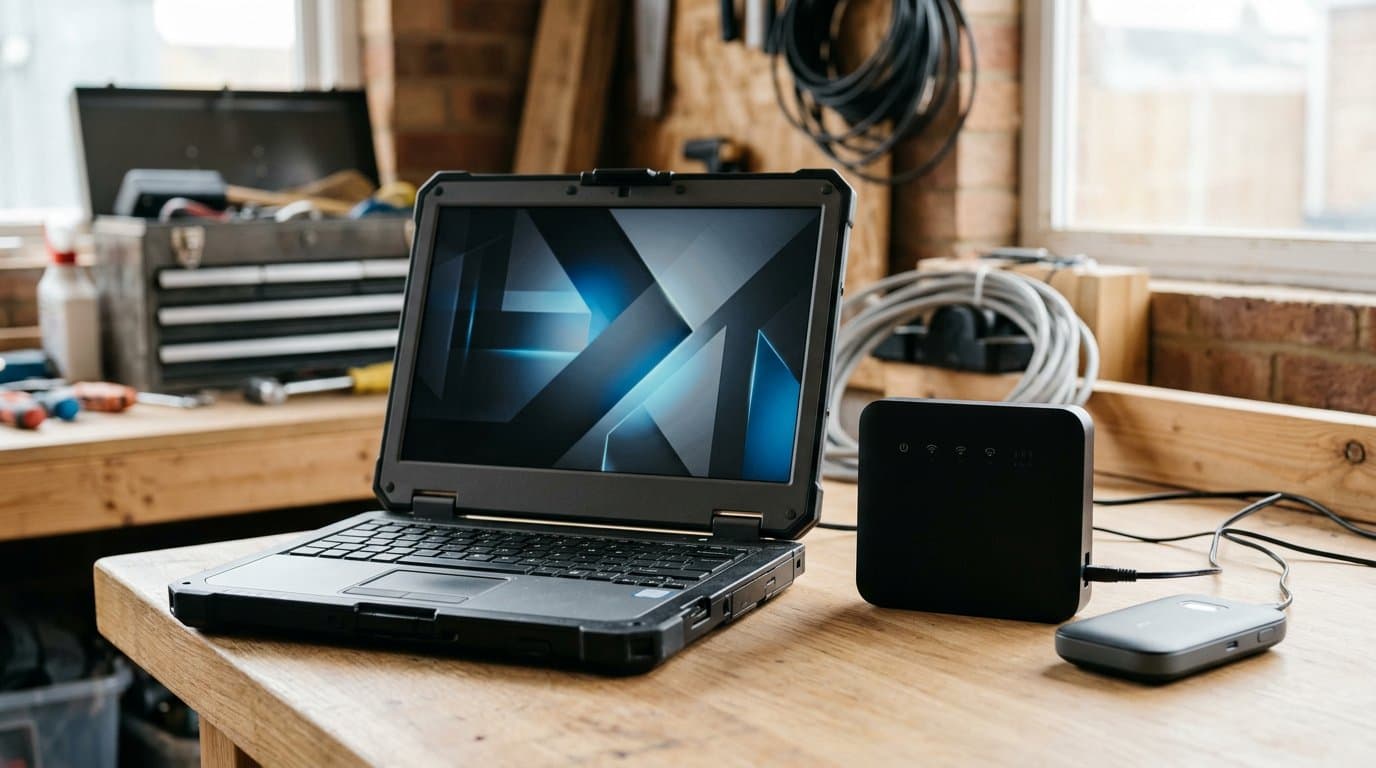
Yes, you can stream USB device access over the internet using full USB passthrough, USB-over-IP, or J2534 tool sharing for automotive diagnostics.
Meta Description: Yes, with J2534 tool sharing or full USB passthrough—each breaks different features. Here's what works for automotive diagnostics and what still fails.
Can I Stream USB Device Access Over the Internet? TL;DR
Yes, you can stream USB device access over the internet, but what "stream" means determines whether your diagnostic tool actually works. Full USB passthrough virtualizes the entire USB bus over a network link, preserving low-level protocols but adding latency that breaks time-sensitive operations. USB-over-IP solutions redirect individual devices through TCP/IP tunnels, which works for keyboards and printers but fails when automotive diagnostic software expects direct hardware timing. J2534 tool sharing is the third path: it doesn't virtualize the USB layer at all—it presents a remote pass-thru tool as a local J2534 device to your OEM software, which is the only layer that matters for programming a module from 200 miles away.
For auto repair work, the question is never "can the USB packets cross the internet," but rather "can the diagnostic software complete a module write without dropping the connection mid-flash." IgniteRemote's J2534 tool sharing answers that by refusing programming jobs when the link quality or battery voltage isn't safe, and recording every session with decoded fault codes, VINs, and part numbers. It works over hotspots and LTE for diagnostics; programming requires a direct, wired-class connection that passes ten latency probes before the write begins. DoIP vehicles, scan tablets, and 32-bit-only tool drivers still cannot be shared, and those limitations are documented upfront because an interrupted flash is worse than no flash at all.
What 'USB Device Access Over the Internet' Actually Means (and What It Doesn't)
Streaming USB device access means making a piece of hardware plugged into one computer appear and function on another computer somewhere else, connected only by an internet link. The USB device itself never moves. The controlling computer interacts with it as if it were local, while the host computer—wherever the device is physically connected—handles the actual USB communication and relays the results.
What it doesn't mean is moving the device, installing duplicate drivers on both ends, or running the same software in two places. One computer hosts the hardware; the other uses it. That distinction matters because automotive diagnostic tools are often licensed to a single interface serial number, and virtualization doesn't clone the hardware identity convincingly enough to fool activation checks.
The harder constraint is protocol fidelity. A USB keyboard tolerates a few dropped packets; an ECU programmer does not. When you're writing firmware to a body control module, the tool and the vehicle are in a timed handshake that expects responses within microseconds. Stretch that conversation across a cellular uplink with 80 ms of latency and 5% packet loss, and the module may brick mid-write. Streaming the access is easy; keeping the timing intact is not.
The Three Technical Paths to USB Over IP—and What Each One Breaks
The first path is full USB device redirection, built into protocols like Microsoft's Remote Desktop Protocol (RDP). When you enable USB redirection in an RDP session, the client software captures USB traffic from your local machine and tunnels it to the remote desktop, where Windows reconstructs it as if the device were plugged in there. This works for USB drives, printers, and some scanners because those devices use standard USB mass-storage or HID protocols that tolerate latency. It breaks for automotive pass-thru tools because J2534 drivers expect raw USB bulk transfers with predictable timing, and RDP's virtualization layer introduces variable delays that violate those expectations.
The second path is dedicated USB-over-IP software, such as USB Network Gate or VirtualHere. These tools install a server component on the computer with the physical device and a client component on the computer that wants to use it. The server virtualizes the USB device and streams its state over TCP/IP; the client presents a virtual USB device to the operating system, using a kernel driver to intercept and forward USB requests. Latency is lower than RDP redirection because there's no remote-desktop overhead, but the round-trip delay still exists. For a J2534 tool sending ISO-TP frames to an ECU, a 40 ms internet round-trip can cause the vehicle to time out and abort the session. These solutions work well for non-timing-critical devices; they're unreliable for module programming.
The third path is application-layer sharing, where the software doesn't virtualize the USB device—it virtualizes the protocol the application cares about. IgniteRemote's J2534 tool sharing does this: the shop computer runs the pass-thru tool's J2534 driver locally and shares the J2534 API over the network. The technician's computer runs a J2534 shim that appears in the OEM software's device picker and forwards API calls to the shop machine, which executes them against the real tool and returns the results. The OEM software—FDRS, Techstream, wiTECH—never knows the tool isn't local because it only sees the J2534 interface, not the USB layer beneath it. This approach cuts latency dramatically because only high-level commands cross the network, not raw USB frames, and it allows the system to measure link quality before allowing a module write.
Each path trades off compatibility, latency, and safety. Full USB passthrough gives you the widest device compatibility and the worst timing. Dedicated USB-over-IP software improves latency but still virtualizes the wrong layer for automotive work. J2534 tool sharing sacrifices device universality—it only works for J2534 interfaces—in exchange for the control needed to refuse dangerous programming attempts. For a detailed breakdown of what works and what fails with each approach, see USB Passthrough with Remote Desktop: Setup Guide That Actually Works.
J2534 Diagnostic Tools: The One USB Category Built for Remote Sharing
J2534 is a standardized API that automotive manufacturers adopted to avoid locking their diagnostic software to proprietary hardware. When Ford releases an update to FDRS or Toyota publishes a new Techstream build, the software doesn't contain USB drivers for every possible pass-thru tool—it calls J2534 functions like PassThruConnect, PassThruReadMsgs, and PassThruWriteMsgs, and any compliant tool can respond. The tool vendor's J2534 driver translates those API calls into the low-level USB or serial commands their hardware understands.
That abstraction is what makes J2534 tools shareable over a network without virtualizing USB. The diagnostic software doesn't care where the J2534 driver lives or how it communicates with the tool, as long as the API contract is honored. A shim driver on the technician's machine can intercept the PassThruConnect call, send it over a network socket to the shop computer, wait for the shop's real J2534 driver to execute it against the physical tool, receive the result, and return it to the OEM software—all within the timing the software expects, because the round-trip happens at the command level, not the USB-frame level.
This also means that when the link degrades, the system knows about it before a module write starts. A programming session isn't a single J2534 call—it's thousands of sequential read and write operations, each expecting a response within tens of milliseconds. If the network can't sustain that cadence, the shim detects it during the pre-write latency measurement and refuses to proceed. No USB virtualization layer can offer that level of application awareness, because it has no idea what the traffic it's tunneling actually means.
J2534's ubiquity in the automotive world is the other reason this matters. Drew CarDAQ-Plus, TOPDON RLink, Artidiag RLink X3, Bosch Mastertech VCI—all of them expose the same API. One remote-sharing implementation works across dozens of tools, rather than requiring per-device configuration the way generic USB redirection does. The limitation is that the tool must be a J2534 device. Standalone key programmers, factory scan tablets, and OBD-II Bluetooth adapters are USB devices, but they don't speak J2534, so application-layer sharing can't help. Those tools still need full USB passthrough, with all the latency problems that entails.
IgniteRemote's J2534 Tool Sharing: How It Works and What It Refuses
IgniteRemote's J2534 tool sharing requires the Windows app on both the shop computer (where the tool plugs into the vehicle) and the technician's computer (where the OEM software runs). The shop computer joins the session with a tool-sharing token generated by the account owner—no username, no password, no account setup at the shop. The technician signs in with their own IgniteRemote login, connects to the shop's shared tool, and within 10 to 30 seconds the tool appears in the OEM software's J2534 device picker as "IgniteRemote."
From that point forward, the OEM software works normally. The technician reads fault codes, views live data, runs bidirectional tests, and programs modules exactly as they would with a local tool. The software has no idea the vehicle is 50 miles away. Both computers must be running version 1.8.0 or later of the IgniteRemote app, and updates that change the protocol refuse to pair with older versions to prevent compatibility mismatches.
The critical difference is in what happens before a module write. Diagnostics—reading codes, viewing freeze frames, clearing DTCs—run over any connection, including mobile hotspots and LTE. Programming a module triggers a different set of rules. Before the write starts, the system sends ten latency probes across the link and measures round-trip time, jitter, and packet loss. Programming is refused if any probe stalls for more than one second, if the average round-trip exceeds 400 milliseconds, or if more than 15% of packets are retransmitted. A relayed connection—one that's bouncing through a third-party server because neither end has a direct routable IP—is refused for programming regardless of speed. These checks lower the risk of an interrupted write; no software can eliminate it.
Battery voltage is checked the same way. Programming proceeds automatically at 11.0 V or higher and is refused above 15.5 V. Between 10.9 V and 11.0 V, the technician must provide a written reason, which is recorded with the session and covers the rest of that tool link. The thresholds are conservative because a voltage drop mid-flash can leave a module unrecoverable, and a battery charger costs less than a replacement ECU.
Every tool session is recorded in full and decoded. The session recording captures not just screen activity but the J2534 command stream: every fault code read, every VIN queried, every part number requested, and every programming decision. That recording is available for replay, download, and review, which is useful for training, dispute resolution, and quality control. The feature is documented on the pricing page and included in every plan that supports tool sharing—Automotive Pro+ at $49.90/month, which includes both remote desktop and tool sharing, or the standalone Tool Sharing plan at $39.90/month for shops that already have remote access sorted another way.
For a walkthrough of what works and what breaks during a real J2534 remote session, including specific OEM software quirks, see J2534 Pass-Thru Over Remote Sessions: What Works, What Breaks, What to Test.
What You Still Cannot Stream: DoIP, Scan Tablets, and 32-Bit Driver Gaps
DoIP—Diagnostics over Internet Protocol—is a vehicle-level communication standard, not a J2534 protocol. Vehicles that require DoIP cannot be reached through J2534 tool sharing because the tool itself isn't speaking J2534 on the vehicle side of the connection. This affects Volvo 2016 and newer (which use VDS, Volvo Diagnostic System), Mercedes-Benz 206 and 223 chassis and newer, BMW models that are DoIP-only, VW and Audi MQB-evo and MEB platforms in ODIS, Nissan CONSULT 4, and Mazda MDARS II. The workaround is to run the OEM software—VIDA, ISTA, ODIS—on the PC at the car using a local ENET or DoIP cable, and control that PC by remote desktop. The tool sharing feature doesn't apply because the laptop's Ethernet adapter is doing the diagnostic work, not a J2534 pass-thru box.
Standalone scan tablets and key programmers are the second gap. Autel MaxiSys, Snap-on Solus, Xhorse VVDI, or Lonsdor K518—these are complete diagnostic systems with their own embedded software, not J2534 pass-thru tools. They connect to a PC via USB only for software updates or data export, not for live diagnostics. You can't "share" them over IgniteRemote's J2534 feature because they don't expose a J2534 API. Full USB passthrough might work for software updates, but it won't let you perform a remote key programming session on an Autel tablet, because the tablet's software is designed to run locally on its own hardware. For shops trying to share a scanner with a remote team, the only option is to have a technician at the vehicle operate the tool while an expert watches via remote desktop—see How to Let Your Team Use a USB Diagnostic Scanner from Home.
The third limitation is 32-bit J2534 drivers on the shop computer. IgniteRemote's tool-sharing feature loads the tool's 32-bit J2534 driver on the shop PC, because most pass-thru tools still ship 32-bit drivers even in 2026. On the technician's side, both 32-bit and 64-bit OEM software work. But if a tool only installs a 64-bit driver and no 32-bit version, the shop computer cannot load it and the tool cannot be shared. This is rare—most vendors ship both—but it's worth confirming before assuming a tool will work. The seven-day free trial on every IgniteRemote plan is the definitive test.
J2534 version support is another conditional limit. IgniteRemote's current release supports J2534 v04.04, which covers the vast majority of OEM software and vehicles. Tools and software that require J2534 v05.00—such as Nissan CONSULT-III Plus—cannot use the shared-tool feature yet. The downloads page lists this explicitly under "What it cannot do yet."
When Full USB Passthrough Matters (and When J2534 Sharing Is Enough)
Full USB passthrough still has a role when the device isn't a J2534 interface and the task isn't time-critical. Updating the firmware on a scan tablet, pulling a log file off a standalone programmer, or transferring calibration files to a USB-connected dynamometer controller—all of these are file-transfer or bulk-data operations that tolerate latency. If the round-trip takes 80 milliseconds instead of 8, the operation is slower but it completes successfully.
The decision point is whether the operation involves a real-time conversation with a vehicle. Programming an ECU is a real-time operation: the tool sends a seed, the module returns a challenge, the tool calculates a key, the module validates it, and the write begins—all within strict timing windows enforced by the vehicle's CAN bus stack. Interrupt that conversation for 200 milliseconds and the module aborts. Full USB passthrough cannot guarantee those timing constraints over a public internet link.
J2534 sharing is enough when the job is vehicle diagnostics or programming with a supported pass-thru tool over a connection that meets the quality thresholds. It's not enough—and explicitly refuses to proceed—when the link is relayed, when latency is too high, or when the battery voltage is marginal. That refusal is the feature. A system that allows a programming attempt under marginal conditions and then fails mid-write is worse than one that says no upfront.
For non-J2534 devices that need to move data but not perform real-time vehicle communication, IgniteRemote's two-way file transfer and remote file browsing (included in every remote-access plan) handle most cases without needing USB redirection at all. The technician browses the shop computer's file system from the browser console, drags files in either direction, and the transfer happens at the application layer with progress indication and retry logic. That's faster, more reliable, and more auditable than virtualizing a USB mass-storage device.
When you genuinely need to operate a non-J2534 USB device remotely in real time—an oscilloscope, a battery tester with live graphing, a plasma cutter with USB control—generic USB-over-IP software or RDP redirection becomes the only option, and you accept the latency trade-off. IgniteRemote does not currently offer generic USB passthrough; that feature is in development and not available in the shipping product.
FAQs: USB Device Streaming, Latency, and Shop-Floor Realities
Can I use a shared J2534 tool over a mobile hotspot?
Yes, for diagnostics. Reading fault codes, live data, and clearing DTCs work over any connection, including LTE and mobile hotspots. Programming a module requires the link to pass latency and packet-loss checks before the write begins, which most hotspots can meet if signal strength is good. A relayed connection is refused for programming even if it's fast.
What happens if the internet drops mid-programming?
The module write is interrupted, which may leave the module in an incomplete state. IgniteRemote's link-quality checks reduce the likelihood by refusing marginal connections upfront, but no software can prevent a fiber cut or a dead battery during a write. A battery charger, a wired internet connection, and a known-good link are the only real mitigations.
Can I share multiple tools from one shop computer?
One tool-sharing link at a time. A shop computer can switch between tools by reconnecting, but two technicians cannot use two different tools from the same shop PC simultaneously. To share tools from multiple vehicles at once, each vehicle needs its own shop computer running the IgniteRemote app.
Do I need IgniteRemote on both the shop PC and the technician's PC?
Yes, for J2534 tool sharing. The browser console is sufficient for remote desktop, but it cannot host the J2534 shim driver that makes the shared tool appear in the OEM software. Both computers must be running the IgniteRemote Windows app, version 1.8.0 or later, kept current with updates.
Does the shop need an IgniteRemote account to share a tool?
No. The shop joins with a tool-sharing token generated by the account owner. Nobody at the shop signs in, creates a password, or manages an account. The app shows the shop when its tool is in use, and the shop approves remote-desktop requests (if the token allows them) each time.
IgniteRemote is remote desktop software for auto repair shops, built to handle UAC prompts, unattended access, and J2534 tool sharing over real-world connections. Plans start at $9.90/month for remote desktop; J2534 tool sharing is included in Automotive Pro+ at $49.90/month or available standalone at $39.90/month. Every plan includes a seven-day free trial. If you need to stream a J2534 diagnostic tool over the internet without risking an interrupted module write, contact us to confirm your setup works before the trial ends.
Related reading
- USB Passthrough with Remote Desktop: Setup Guide That Actually Works
- J2534 Pass-Thru Over Remote Sessions: What Works, What Breaks, What to Test
- How to Let Your Team Use a USB Diagnostic Scanner from Home
- Diagnostic Remote Session: What It Actually Means in Auto Repair
- FlexiHub Alternatives for Automotive Shops: What Actually Works in 2026